
Guide
Best Settings for Traffic Racer Russian: Smooth Frames on Any Phone
Graphics, controls and comfort settings that keep Traffic Racer Russian smooth on budget phones and beautiful on flagships.
ROUTE On this page
The game scales well, but the default preset is not always the right one for your phone. These are the settings our reviewer settled on across the whole test rack, from the Galaxy A13 to the Pixel 8, after long sessions measured for the review on Traffic Racer Open World.
Graphics by phone tier
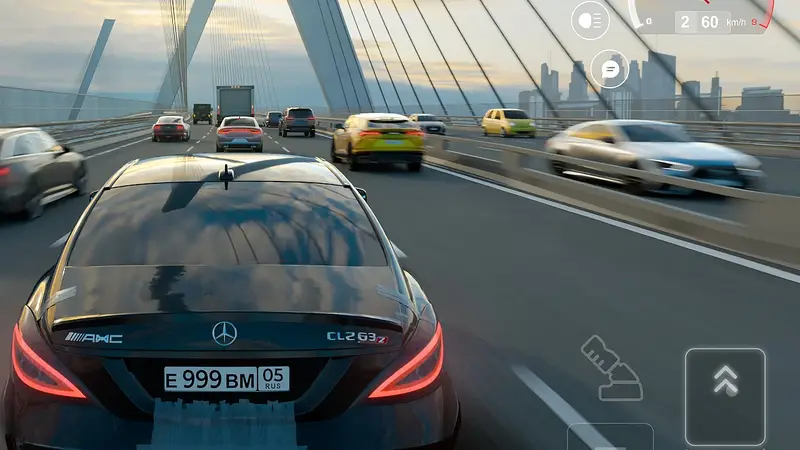
On flagships, run the high preset and enjoy the dense traffic and long view distances. On mid-range phones, medium with shadows one step down is the sweet spot: busy city scenes stay smooth without draining the battery. On budget phones, low preset, traffic effects reduced, and you still get the full world: the game streams its map in sections, so lowering detail never cuts roads. Our low end phones guide reports honestly on what a Galaxy A13 class device feels like with exactly these settings.
Controls and comfort
Enlarge the pedal zones until your thumbs never miss, move the horn and camera buttons out of your grip path, and pick the steering mode you tested in the beginner guide. Turn vibration feedback on if your phone supports it; the small buzz on kerb strikes genuinely helps you place the car.
Heat and battery
Long sessions in heavy traffic are the warmest workload in the game. If your phone heats up, drop one graphics step rather than pushing through: sustained smoothness beats a pretty first ten minutes followed by throttling. If stutter survives a settings drop, work through our Traffic Racer Russian lag fixes, which diagnose heat, storage and connection causes in order. Set it up once, properly, and Traffic Racer Russian feels good on every phone in the house.
A five minute settings routine
When you change phones or reinstall, set Traffic Racer Russian up in this order and you will only do it once. First, pick your steering method and drive one slow village lap before touching anything else; control feel decides every later judgement. Second, resize and reposition the pedals and buttons until a full lock turn and a panic brake both happen without your thumbs hunting. Third, set graphics by the busiest scene, not the menu: drive into city traffic at build hour and lower steps until the frame rate stops breathing. Fourth, turn on the small helps: RPM gauge visible, vibration on kerb strikes if your phone supports it, camera shake low. Fifth, save and stop fiddling for a week.
The settings mistake we see most is copying a flagship screenshot setup onto a budget phone and blaming the game for the result. Presets exist per tier because hardware differs, and there is no honour lost in the low preset: the roads, cars and missions of Traffic Racer Russian are identical on every tier. What changes is only how much of the scenery waves at you as you pass.
Quick Answers
What is the best graphics preset for mid-range phones?
Medium, with shadows reduced one step. It keeps city traffic smooth and battery use reasonable.
Do lower settings remove roads or cars?
No. The full map and garage stay; only visual detail and effects change.
Which setting helps most with stutter?
Lowering the graphics preset one step, then closing background apps. Traffic peaks are the heaviest moments.